
Polycool
Mobile and Telegram Polymarket trading with copying and wallet research
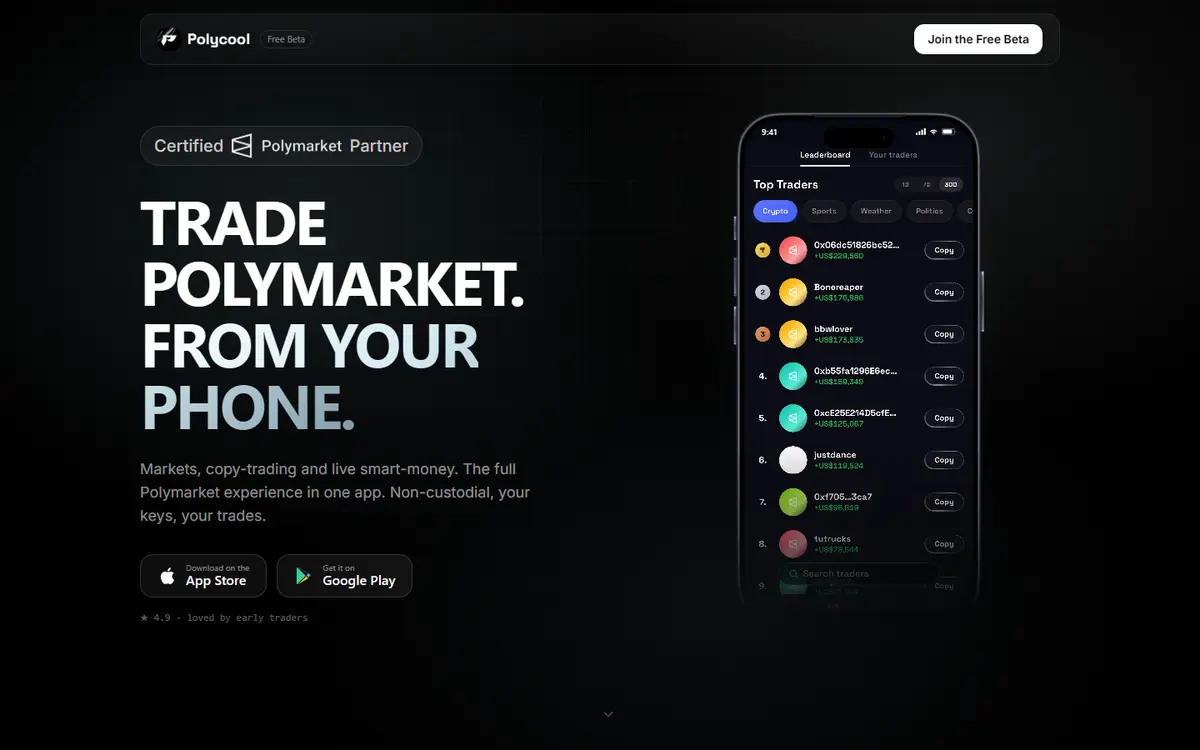
Polycool combines Polymarket market discovery, wallet monitoring, direct trading and automatic copying in mobile and Telegram interfaces. It describes a Privy wallet controlled by the user, with crypto deposits bridged into the trading balance. The docs publish trading-volume fee tiers and currently mark card funding as disabled.[1][2][3][5][6]
Written by Vultax from the product's own pages, last checked .
- Category
- Analytics and wallet tracking
- Pricing
- See pricing below
- Works with
- Polymarket
- Runs on
- iOS advertised, Android, Telegram Mini App
- Website registered
- 17 Feb 2026
- Last checked
- 6 Nov 2026
Details
- Tags
- Copy trading, Wallet research, Sports parlays
- Chains
- Polygon, Ethereum, Arbitrum, Base, Solana
- First recorded
- 30 October 2026
Timeline
6 November 2026
Website answered
6 November 2026
Screenshot taken
30 October 2026
Website first checked by Vultax
17 February 2026
Website domain registered
Quick answers
- What does it cost?
- The pricing page says 1% per trade and no subscription. The volume-ladder docs reduce the rate down to 0.50% at higher lifetime volume and mention an unquantified small-trade fee floor.[2][6]
- Does it trade for me?
- Yes: it advertises manual trades and automatic copying with per-leader allocations and filters.[3]
- Where do my funds sit?
- The provider describes a non-custodial Privy wallet controlled by the user, with recovery handled through Privy.[5]
- What do I need to start?
- Use the mobile or Telegram interface and its crypto deposit flow; the documented approximate minimum is USD 5. The detailed wallet guide says card funding is temporarily disabled.[3][5]
- Where is it available?
- The provider advertises iOS, Android and Telegram access. These pages do not establish country eligibility or KYC conditions.[1]
What it offers
How it works
- Trading mode
- Mode:
- Manual market orders and automatic wallet copying; beta parlays
- Data freshness
- Claim:
- Provider advertises real-time feeds and copy execution
- Measurement:
- Not independently benchmarked
- Delivery channels
- Mobile app, Telegram Mini App
- Chains and networks
- Polygon, Ethereum, Arbitrum, Base, Solana
Pricing and fees
No subscription. Public pricing advertises 1% per executed trade; volume-ladder docs list lower tiers down to 0.50%. Underlying venue fees and a small-trade fee floor may apply.[1][2][3][5][6]
- Trading fee
- Basis:
- Each successfully executed trade; docs include manual, copied and parlay volume
- Tiers:
- Name:
- Shrimp
- Lifetime volume usd:
- 0–1,000
- Rate:
- 1%
- Name:
- Sardine
- Lifetime volume usd:
- 1,000–5,000
- Rate:
- 0.95%
- Name:
- Octopus
- Lifetime volume usd:
- 5,000–20,000
- Rate:
- 0.85%
- Name:
- Dolphin
- Lifetime volume usd:
- 20,000–50,000
- Rate:
- 0.75%
- Name:
- Shark
- Lifetime volume usd:
- 50,000–100,000
- Rate:
- 0.65%
- Name:
- Whale
- Lifetime volume usd:
- 100,000+
- Rate:
- 0.5%
- Minimum fee:
- A small-trade fee floor is mentioned but no amount is given on the reviewed ladder page.
- Other fees
- Subscription:
- None as advertised
- Trade gas:
- Docs describe gasless trading through the relayer
- Third-party fees:
- Underlying prediction-market fees may apply separately
- Minimum amounts
- Crypto deposit approx usd:
- 5
- Scope:
- Approximate minimum on the listed networks; confirm the app’s current route
- Small trade fee floor:
- Mentioned without a numeric value
No subscription plans, according to the provider. Pricing explicitly says no subscription; service charges per trade.
As published on 6 November 2026.
Getting started
Open the mobile app or official Telegram Mini App and create its wallet.[1][3]
Choose the crypto deposit flow and use the address for the selected network.[5]
Browse a market or choose copy leaders, setting allocation, slippage and filters before enabling copying.[3]
- What you need first
- Wallet:
- Privy-created wallet
- Networks:
- Polygon, Ethereum, Arbitrum, Base, Solana
- Funding:
- Provider lists chain-specific USDC/native assets and bridging into Polygon USDC.e; use the current deposit flow rather than a trading address.
- Card funding:
- Wallet docs say MoonPay/card funding is temporarily disabled, despite home-page card-funding advertising.
- App-store listings
- Get it onGoogle Play (opens in a new tab)
Safety and terms
- Custody and keys
- Model:
- Provider-described non-custodial Privy wallet
- Key control:
- Wallet documentation says users control keys and Privy handles recovery; no seed phrase shown
- Terms, privacy and eligibility
Sources
- 1. polycoolapp.com (opens in a new tab)
- 2. polycoolapp.com/pricing (opens in a new tab)
- 3. polycoolapp.com/docs (opens in a new tab)
- 4. polycoolapp.com/docs/faq (opens in a new tab)
- 5. polycoolapp.com/docs/getting-started/wallet (opens in a new tab)
- 6. polycoolapp.com/docs/earn/volume-ladder (opens in a new tab)
Download profile JSON. Vultax keeps a dated copy of every page behind it. Request a review.
Alternatives
Listings that share its category or the jobs it does.
How the directory is made · Manage a profile · Directory CSV (CC BY 4.0).