PolyCop.Ai
Polymarket copy trading with proportional sizing, limits and manual orders
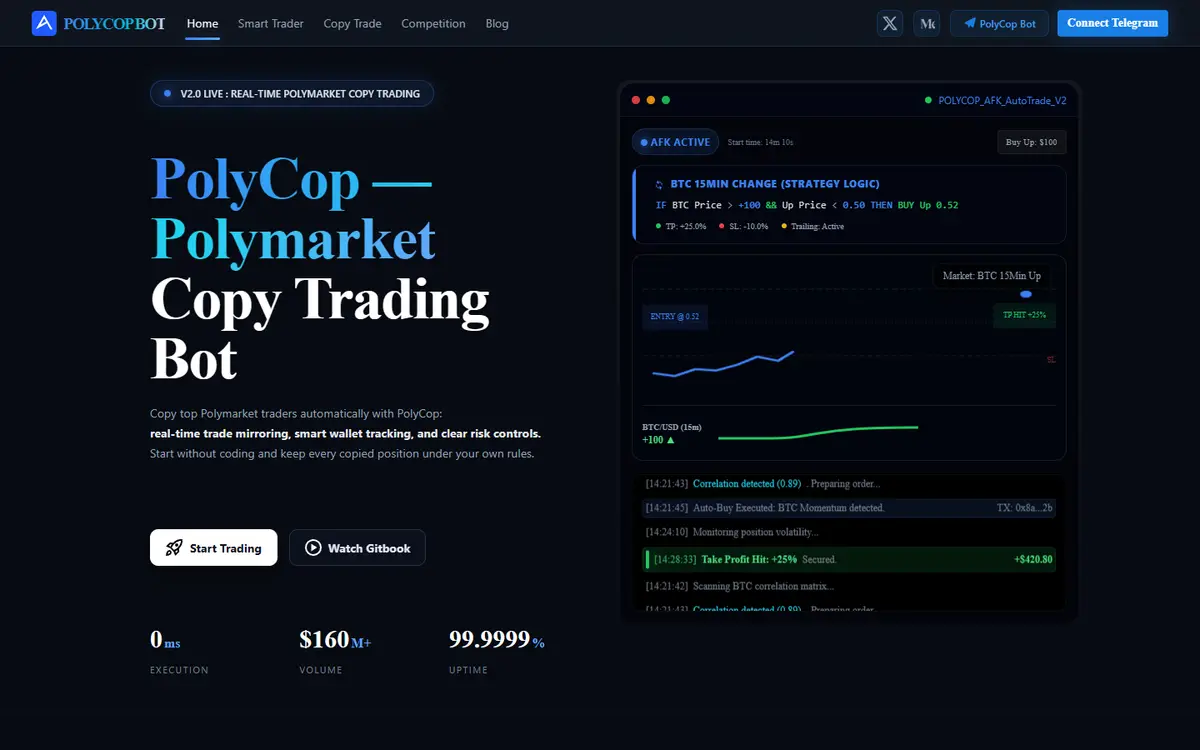
PolyCop is a Polymarket trading bot with automatic copying, manual orders and wallet management. Its guides explain proportional or fixed sizing, price offsets, order expiry and limits for each copied outcome or position. Users fund a dedicated wallet and can inspect or close positions themselves. The documentation distinguishes the wallet owner address, trading address and bridge deposit address, which should not be used interchangeably.[1][2][3][4][5][6][7]
Written by Vultax from the product's own pages, last checked .
- Category
- Copy trading
- Pricing
- Paid or fee-based
- Works with
- Polymarket
- Runs on
- Telegram, Web analytics interface
- Website registered
- 2 Feb 2026
- Last checked
- 7 Nov 2026
Details
- Tags
- Copy trading, Limit-order copying, Small-order behavior, Position controls, Dedicated wallet management, Wallet selection and testing
- Chains
- Polygon, Ethereum, Arbitrum, Optimism, Base, BNB Smart Chain
- First recorded
- 30 October 2026
Timeline
7 November 2026
Website answered
6 November 2026
Screenshot taken
30 October 2026
Website first checked by Vultax
2 February 2026
Website domain registered
Quick answers
- What does it cost?
- The fee page states a 0.5% transaction fee, with accumulated deductions and separate possible bridge or swap costs.[1][2][3][4][5][6][7]
- Does it trade for me?
- Yes; activated copy tasks execute under your configured parameters, and manual orders are also supported.[1][2][3][4][5][6][7]
- Where do my funds sit?
- The service creates a dedicated wallet with key export; the reviewed guides do not fully explain backend signing-key custody.[1][2][3][4][5][6][7]
What it offers
Copy trading
Copy proportionally to a target wallet or with a fixed amount, subject to the configured spending and position limits.[1][2][3][4][5][6][7]
Limit-order copying
Apply a price offset and expiry, or choose market copying, rather than assuming every source order must execute at the same price.[1][2][3][4][5][6][7]
Small-order behavior
Configure whether a copy below the minimum should be skipped or raised to the minimum amount.[1][2][3][4][5][6][7]
Position controls
Inspect current positions and manually sell them independently of the copy task.[1][2][3][4][5][6][7]
Dedicated wallet management
The docs distinguish owner, trading and deposit addresses and describe private-key export and withdrawals.[1][2][3][4][5][6][7]
Wallet selection and testing
The provider describes wallet discovery and copy backtesting; past results are not a guarantee of future copying performance.[1][2][3][4][5][6][7]
How it works
- Trading mode
- Activated copy tasks can place orders automatically, with separate manual trading and position-close controls.[1][2][3][4][5][6][7]
- Data freshness
- The provider advertises same-block or next-block copying and acknowledges longer execution under some network conditions. Those timing claims were not benchmarked.[1][2][3][4][5][6][7]
- Delivery channels
- Telegram bot, Web analytics
- Markets supported
- Polymarket
- Chains and networks
- Polygon, Ethereum, Arbitrum, Optimism, Base, BNB Smart Chain
Pricing and fees
Provider fee page: 0.5% transaction fee with accumulated deductions; bot-covered trading/redemption gas and no internal transfer fee. Bridge/swap costs may apply.[1][2][3][4][5][6][7]
- Trading fee
- Rate:
- 0.5%
- Basis:
- Transaction fee described by the provider
- Collection:
- Fees are accumulated and deducted after a documented trading threshold; no builder leaderboard metrics are used here.
- Venue costs:
- The page does not establish a complete combined venue-plus-bot fee schedule.
- Other fees
- The fee page says PolyCop covers trading/redemption gas and charges no internal transfer fee. It distinguishes direct Polygon funding from bridge or swap routes that can incur external routing costs.[4]
- Minimum amounts
- Bridge deposit minimum usd:
- 10
- Copy task balance minimum usd:
- 50
- Market order minimum usd:
- 1
- Limit order minimum shares:
- 5
- Scope:
- These are the provider’s documented thresholds, not independent confirmation of the venue’s present universal limits.
As published on 7 November 2026.
Getting started
- What you need first
- The guides describe USDC or USDT funding from supported chains through a Polymarket bridge and direct Polygon funding using the specified token/address route. Several pages retain USDC.e-era terminology, so the current bot deposit instructions must be checked before transferring.[3][7]
- Withdrawals
- The wallet guide describes a withdrawal menu and a Polygon destination wallet. It does not provide a complete universal withdrawal-fee or processing-time commitment.[3]
Safety and terms
- Custody and keys
- PolyCop generates a dedicated wallet and documents private-key export for accessing it through an external wallet. The reviewed guides do not fully explain backend key custody or the scope of the bot’s signing authority; exportability alone does not establish exclusive user control.[3][7]
Sources
- 1. polycop.ai (opens in a new tab)
- 2. polycop.gitbook.io/polycop-docs (opens in a new tab)
- 3. polycop.gitbook.io/polycop-docs/getting-started/wallet-and-deposit-funds (opens in a new tab)
- 4. polycop.gitbook.io/polycop-docs/fees-and-rewards/fees-and-rewards (opens in a new tab)
- 5. polycop.gitbook.io/polycop-docs/copy-trading/how-to-copy (opens in a new tab)
- 6. polycop.gitbook.io/polycop-docs/copy-trading/copy-trading-parameter-guide (opens in a new tab)
- 7. polycop.gitbook.io/polycop-docs/q-and-a/q-and-a (opens in a new tab)
Download profile JSON. Vultax keeps a dated copy of every page behind it. Request a review.
Alternatives
Listings that share its category or the jobs it does.
How the directory is made · Manage a profile · Directory CSV (CC BY 4.0).