
polyfox
Telegram Polymarket terminal with manual trades, copying and rule-based orders
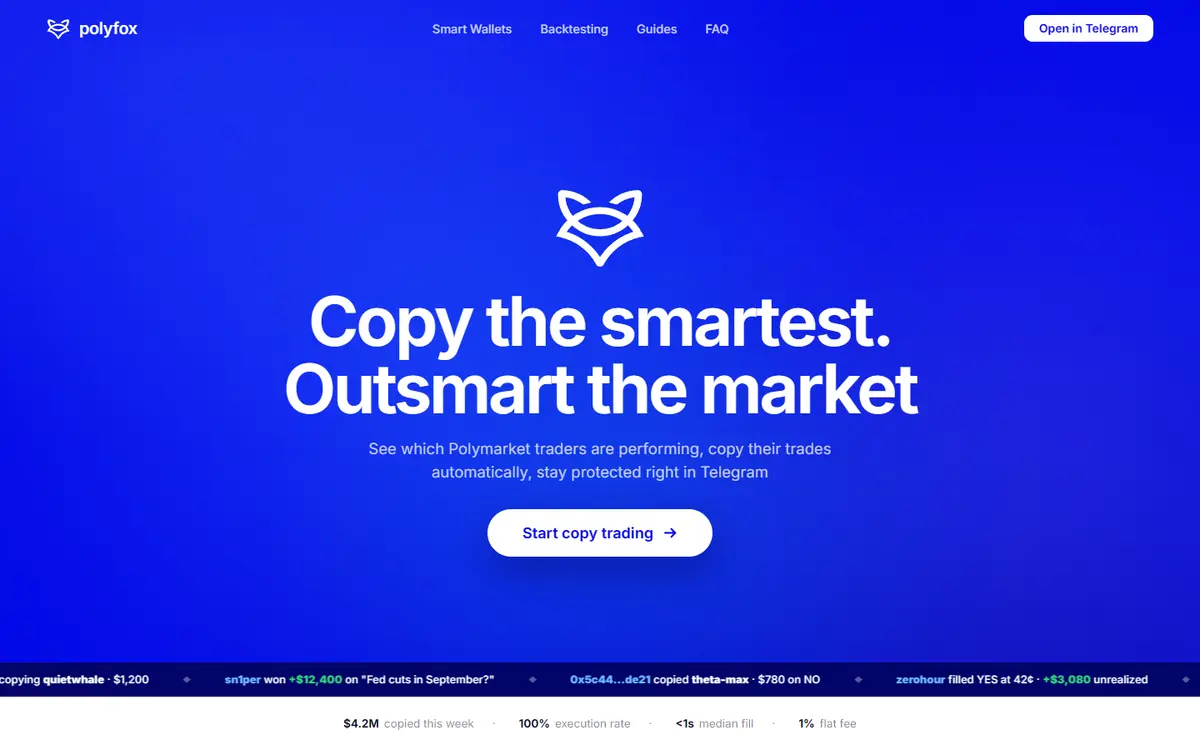
Polyfox provides a Telegram interface for Polymarket browsing, manual orders and configurable copy trading. It creates an exportable Polygon wallet and lets users authorize trading rules under their own limits. Its docs specify a 1% provider trading fee, deposit and order minimums, and separately applicable bridge or venue costs.[3][5][6][8][11]
Written by Vultax from the product's own pages, last checked .
- Category
- Copy trading
- Pricing
- See pricing below
- Works with
- Polymarket
- Runs on
- Telegram
- First recorded
- 30 Oct 2026
- Last checked
- 6 Nov 2026
Details
- Tags
- Manual trading, Rule-based trading
- Chains
- Polygon, Optimism, Base, Ethereum, BNB Smart Chain, Arbitrum
Timeline
6 November 2026
Screenshot taken
6 November 2026
Website answered
30 October 2026
Website first checked by Vultax
Quick answers
- What does it cost?
- Browsing is free; Polyfox charges 1% on each buy, sell and copied trade. Bridge and underlying venue costs may apply separately.[5]
- Does it trade for me?
- It supports manual orders, automated copying and configured Auto Trade rules, each under permissions you grant.[3][11]
- Where do my funds sit?
- The provider describes an exportable Polygon wallet with scoped signing permissions. An optional funds password gates withdrawal and key export and has no reset.[6]
- What do I need to start?
- You need Telegram; trading also needs a supported deposit of at least USD 10. The order minimum is USD 1.[3][11]
- Where is it available?
- The interface runs in Telegram, but the legal notes do not establish a country list or local permission to use it.[8]
What it offers
Copy trading
Mirror selected wallets using configured sizes, limits and optional sub-wallets.[3][5][6][8][11]
Manual trading
Browse Polymarket markets and place orders from Telegram.[3][5][6][8][11]
Rule-based trading
Auto Trade can enter recurring crypto Up/Down rounds under configured conditions.[3][5][6][8][11]
How it works
- Trading mode
- Mode:
- Manual orders, automatic copying and Auto Trade rules under user-granted permissions
- Delivery channels
- Telegram
- Markets supported
- Polymarket
- Chains and networks
- Polygon, Optimism, Base, Ethereum, BNB Smart Chain, Arbitrum
Pricing and fees
Browsing is free. Polyfox charges 1% of every buy, sell or copied trade; no subscription or provider deposit/withdrawal fee. Bridge and venue costs may apply separately.[5]
- Trading fee
- Rate:
- 1%
- Basis:
- Value of each buy, sell or copied trade
- Collected by:
- Polyfox
- Venue fees:
- Underlying Polymarket fee policy is separate and can vary by market
- Other fees
- Subscription:
- 0
- Deposit provider fee:
- None
- Withdrawal provider fee:
- None
- Gas:
- Relayer covers normal trading gas
- Bridge:
- Bridge provider fees may reduce withdrawal receipts; displayed before confirmation
- Minimum amounts
- Deposit usd:
- 10
- Order usd:
- 1
- Copy order usd:
- 1
- Recommended copy balance usd:
- 100
- Recommendation:
- USD 100+ is guidance, not a deposit minimum
No subscription plans, according to the provider. Provider explicitly says there are no subscription tiers.
As published on 6 November 2026.
Getting started
Open the official Telegram bot and start it to create the wallet.[3]
Inspect the wallet, then use the documented deposit flow for a supported token and network if trading.[3]
Choose manual orders, a wallet to copy or a supported Auto Trade rule, and configure limits before enabling it.[3]
- What you need first
- Account:
- Telegram
- Funding tokens:
- USDC, USDT
- Funding networks:
- Polygon, Optimism, Base, Ethereum, BNB Smart Chain, Arbitrum
- Conversion:
- Eligible deposits convert to pUSD; unsupported transfers may be unrecoverable
- Withdrawals
- Flow:
- /withdraw or Wallet → Withdraw, review recipient/asset/amount/destination and confirm.
- Settlement network:
- Polygon
- Provider fee:
- None
- Third-party costs:
- Bridge charges may reduce proceeds.
- Alternative:
- Export the wallet key and use another Polygon-compatible wallet.
- Timing:
- No fixed completion time stated.
Safety and terms
- Custody and keys
- Model:
- Provider-described non-custodial wallet
- Key control:
- Private key is exportable; bot operations use user-granted signing permissions
- Password:
- Optional funds password gates withdrawals, key export and deletion; docs say it cannot be reset
- Terms, privacy and eligibility
- Legal notes:
- polyfox.co/docs/legal (opens in a new tab)
- Geography:
- Provider gives no country-specific permission and assigns jurisdiction checks to users.
- Identity checks (KYC):
- Not stated in reviewed docs
Sources
- 1. polyfox.co (opens in a new tab)
- 2. polyfox.co (opens in a new tab)
- 3. polyfox.co/docs/getting-started (opens in a new tab)
- 4. polyfox.co/docs/deposits (opens in a new tab)
- 5. polyfox.co/docs/polymarket-fees-explained (opens in a new tab)
- 6. polyfox.co/docs/security (opens in a new tab)
- 7. polyfox.co/docs/withdrawals (opens in a new tab)
- 8. polyfox.co/docs/legal (opens in a new tab)
- 9. polyfox.co/docs (opens in a new tab)
- 10. polyfox.co/docs/markets (opens in a new tab)
- 11. polyfox.co/docs/faq (opens in a new tab)
- 12. polyfox.co/docs/cashback (opens in a new tab)
- 13. polyfox.co/docs/auto-trade (opens in a new tab)
- 14. polyfox.co/docs/copy-trading (opens in a new tab)
- 15. polyfox.co/docs/daily-raffle (opens in a new tab)
- 16. polyfox.co/docs/limit-orders (opens in a new tab)
- 17. polyfox.co/docs/what-is-pusd (opens in a new tab)
- 18. polyfox.co/docs/smart-wallets (opens in a new tab)
- 19. polyfox.co/docs/how-to-copy-trade (opens in a new tab)
- 20. polyfox.co/docs/copy-trading-risks (opens in a new tab)
- 21. polyfox.co/docs/what-is-polymarket (opens in a new tab)
Download profile JSON. Vultax keeps a dated copy of every page behind it. Request a review.
Alternatives
Listings that share its category or the jobs it does.
How the directory is made · Manage a profile · Directory CSV (CC BY 4.0).