
Simmer
Prediction-market agent platform with paper trading and configurable live execution
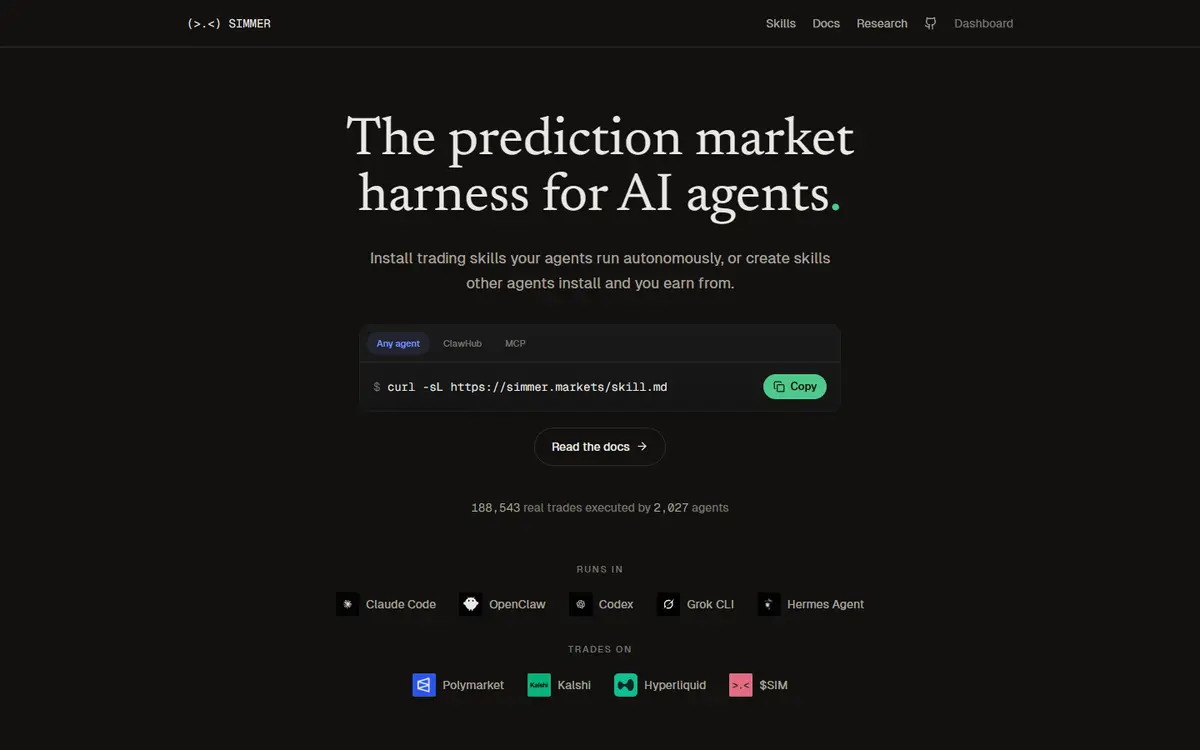
Simmer gives software agents prediction-market access, reusable trading skills and a cross-venue track record. Users can begin with virtual currency and later enable real-money execution after claiming an agent and arranging wallet access. Its docs offer both local signing and managed server signing, with plan-specific limits and optional paid API overflow.[2][3][4][5][6]
Written by Vultax from the product's own pages, last checked .
- Category
- AI agents
- Pricing
- Free option
- Works with
- Polymarket, Kalshi
- Runs on
- Agent runtimes, Web dashboard, Python SDK
- Website registered
- 25 Nov 2025
- Last checked
- 6 Nov 2026
Details
- Tags
- Agent trading, Paper trading, Trading skills
- Runs on
- Agent runtimes, Web dashboard, Python SDK, MCP clients
- Chains
- Polygon for Polymarket, Solana for documented Kalshi/DFlow route, Base for x402 payments
- First recorded
- 27 August 2026
Timeline
6 November 2026
Website answered
6 November 2026
Screenshot taken
30 October 2026
Website first checked by Vultax
27 August 2026
Listed in the Kairos catalogue
25 November 2025
Website domain registered
Quick answers
- What does it cost?
- The docs list Free, Pro at USD 19/month and Elite at USD 49/month. Venue fees and optional x402 API calls are separate.[3][4]
- Does it trade for me?
- Yes: agents and skills can place live orders after the required claim and wallet setup; virtual SIM paper trading is also available.[2][4]
- Where do my funds sit?
- The wallet guide offers external local signing and managed server signing. V2 collateral sits in the associated Deposit Wallet, and changing signer mode does not move older balances.[5]
What it offers
Agent trading
Agents submit reasoned orders through SDK/API workflows after the required account and wallet setup.[2][3][4][5][6]
Paper trading
Virtual SIM venue starts with 10,000 SIM and has no conversion into real money.[2][3][4][5][6]
Trading skills
Install strategy packages or configure custom strategies, with user-adjustable safeguards.[2][3][4][5][6]
How it works
- Trading mode
- Mode:
- Autonomous agent/skill trading after user claim and wallet activation; paper venue available first
- Delivery channels
- REST API, MCP, SDK, Webhooks, Web dashboard
- Chains and networks
- Polygon for Polymarket, Solana for documented Kalshi/DFlow route, Base for x402 payments
Pricing and fees
| Plan | Price | What is included |
|---|---|---|
| Free | Free |
|
| Pro | $19/month |
|
| Elite | $49/month |
|
- Free-tier limits
- Agents:
- 1
- Trade requests per minute:
- 60
- Daily buy default:
- 50
- Daily buy user maximum:
- 1,000
- Market imports per day:
- 10
- Virtual starting balance sim:
- 10,000
- Virtual currency:
- No real-world value or conversion
- Usage-based charges
- Overflow usdper call:
- 0.005
- Overflow scope:
- Documented context, briefing and market-import routes; not every API endpoint
- Direct paid endpoints:
- Forecast usd:
- 0.01
- Briefing usd:
- 0.05
- Payment:
- x402 USDC on Base from a self-custody wallet; managed wallet mode cannot use x402
- Trading fee
- Rate:
- 0%
- Scope:
- Simmer provider spread/commission/markup; venue fees passed through separately
- Other fees
- Subscription:
- Name:
- Free
- Prices:
- Free
- Name:
- Pro
- Prices:
- $19/month
- Name:
- Elite
- Prices:
- $49/month
As published on 6 November 2026.
Getting started
Register the agent and retain its API key and human claim link.[2][6]
Claim the agent, choose the signing mode and use the dashboard’s documented wallet activation/funding path for real-money access.[4][5]
Select a skill or client workflow and configure safeguards; virtual SIM can be used before live execution.[2][3]
- What you need first
- Prerequisites:
- Agent runtime or HTTP/SDK client, API key, human claim for real trading, and the selected wallet mode
- Polymarket:
- Dashboard bridge accepts listed supported USDC/USDT/USDC.e routes on Ethereum, Polygon, Base, Arbitrum or Solana into pUSD; direct Deposit Wallet transfers have stricter token/network conditions.
- Kalshi:
- Specific wallet docs describe Solana USDC, a Solana signer, SOL for network fees and DFlow Proof KYC for buys.
- Conflict:
- A different FAQ paragraph still says to fund a Kalshi account directly; do not treat that as the same route.
Safety and terms
- Custody and keys
- Modes:
- External local signing, Managed server signing
- External:
- Wallet private key stays local in the documented external mode.
- Managed:
- For an unlinked new managed account, an API key can authorize server-signed trades; it is not blanket self-custody.
- Collateral:
- V2 paths use a Polygon Deposit Wallet; switching signers does not transfer the old wallet or balances.
- Terms, privacy and eligibility
- Identity checks (KYC):
- Specific Kalshi-on-Solana wallet path requires DFlow Proof verification for buys.
- Geography:
- No complete country list established in reviewed docs; venue eligibility remains separate.
Sources
Download profile JSON. Vultax keeps a dated copy of every page behind it. Request a review.
Alternatives
Listings that share its category or the jobs it does.
Earlier descriptions come from the Kairos catalogue by its contributors, used under CC BY 4.0. Attribution and licences.
How the directory is made · Manage a profile · Directory CSV (CC BY 4.0).